Steer from a Graph
A subgraph is a hypothesis. To test it, you can steer the model from the graph page: turn features up or down, then look at how the output changes.
Steer Nodes and Supernodes
In the Dallas example, our hypothesis is:
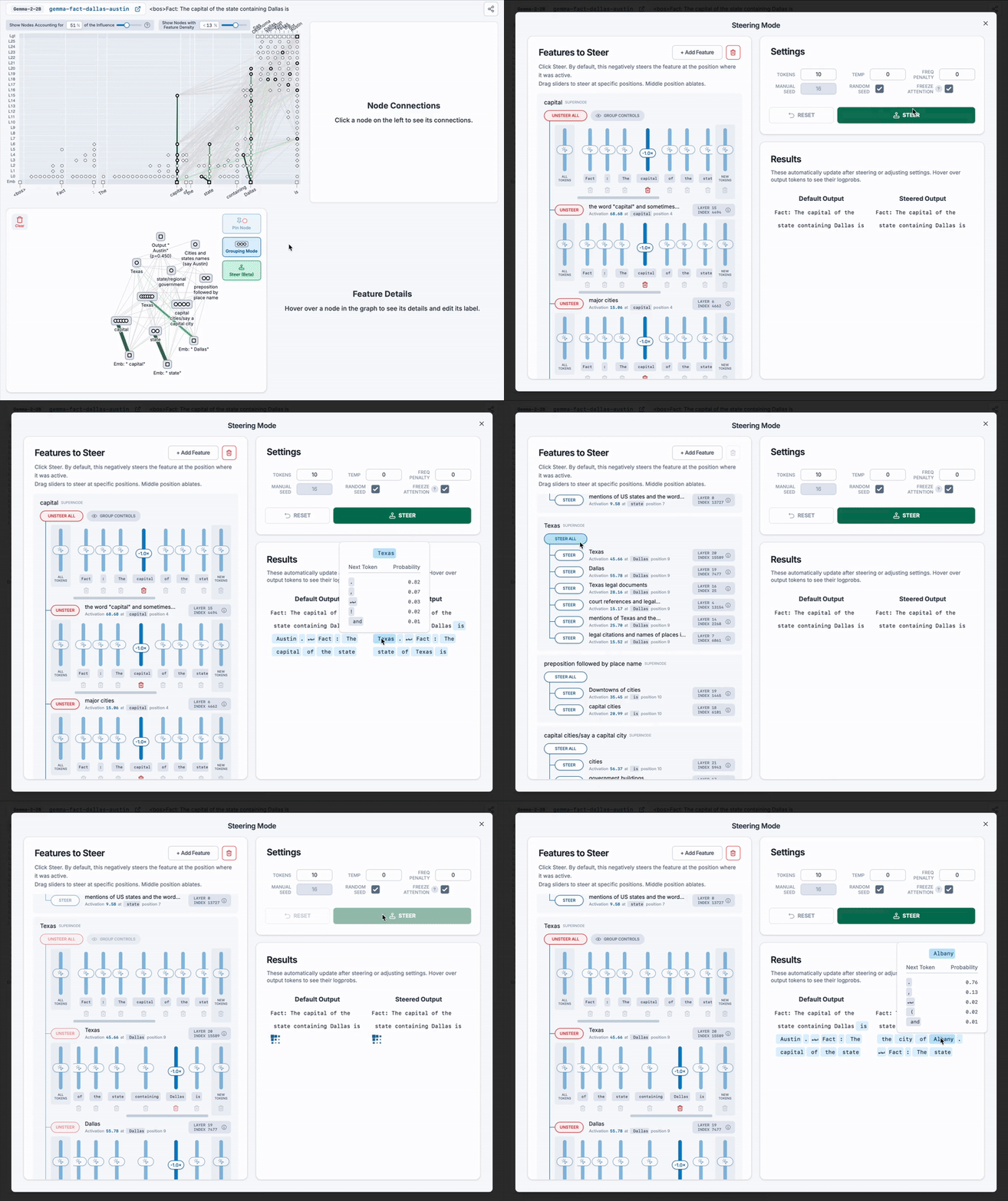
Dallas ➡️ Texas ➡️ capital ➡️ Austin
To test it, click Steer in the subgraph, then decrease (steer negatively) one supernode at a time:
- Decrease the "capital" step: Dallas ➡️ Texas ➡️ ❓ ➡️ the model says Texas.
- Decrease the "Texas" step: Dallas ➡️ ❓ ➡️ capital ➡️ the model says Albany (the capital of New York).
Both results support the hypothesis. This does not prove that the circuit is correct, but it is good evidence.
Steer with Features That Are Not in the Graph
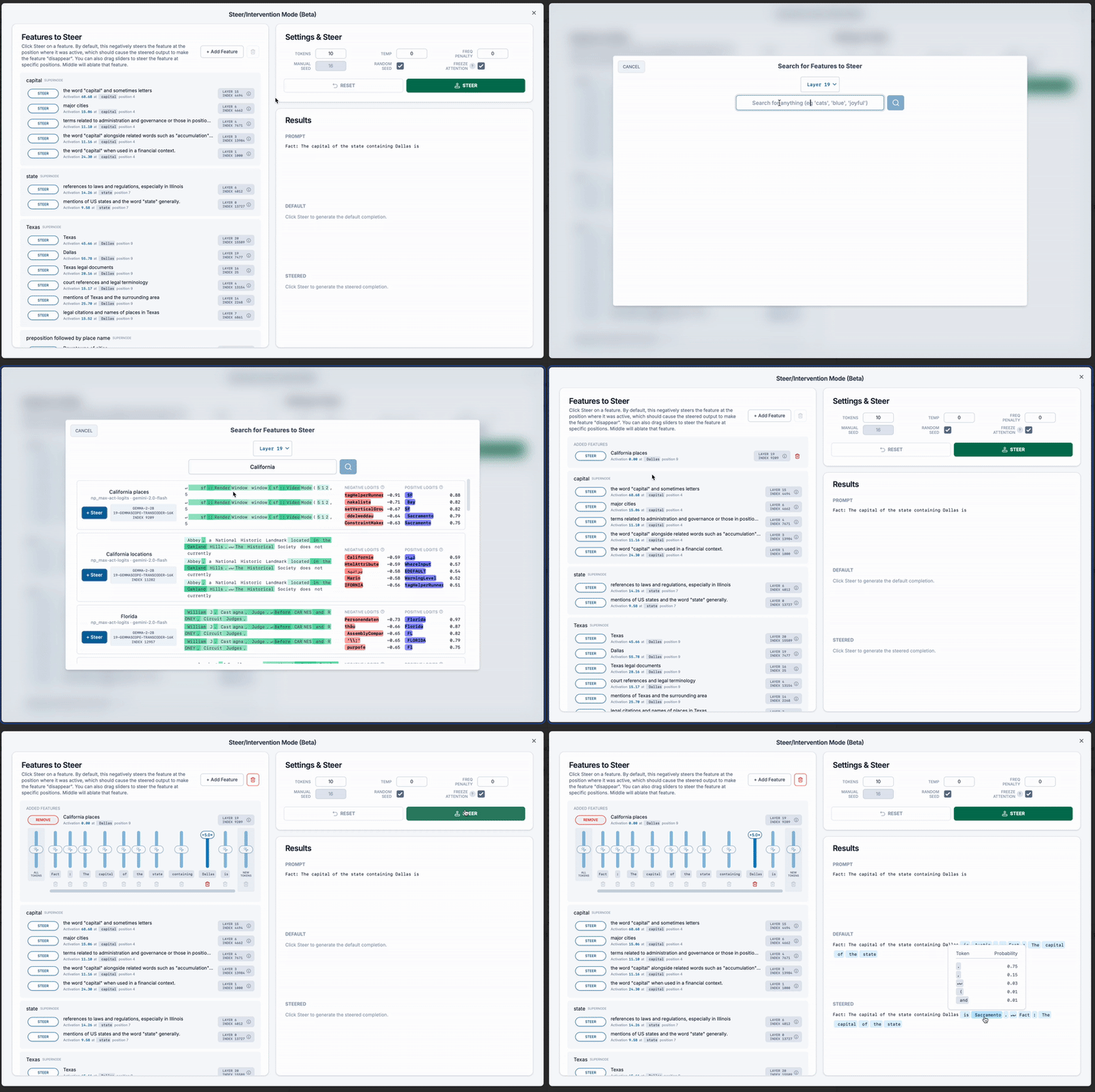
You can also steer with any other feature. For example, steer the Dallas graph with a California feature, and the model says Sacramento.
- Click + Add Feature.
- Search for the feature. Tip: select the later layers. You can select more than one layer.
- Select the feature and the token position where you think it is most important.
- Set the steering strength, then click Steer.
For more about steering, see Steering.