Feature Dashboards
A feature dashboard shows everything that we know about one feature. It has the feature's top activations, its logits, its explanations, and tools to test and steer it.
Each feature is at the URL neuronpedia.org/[MODEL_ID]/[SOURCE_ID]/[INDEX].
For this page, we use feature 10956 in the source 20-gemmascope-res-16k for gemma-2-2b:
neuronpedia.org/gemma-2-2b/20-gemmascope-res-16k/10956
Example - Feature Dashboard
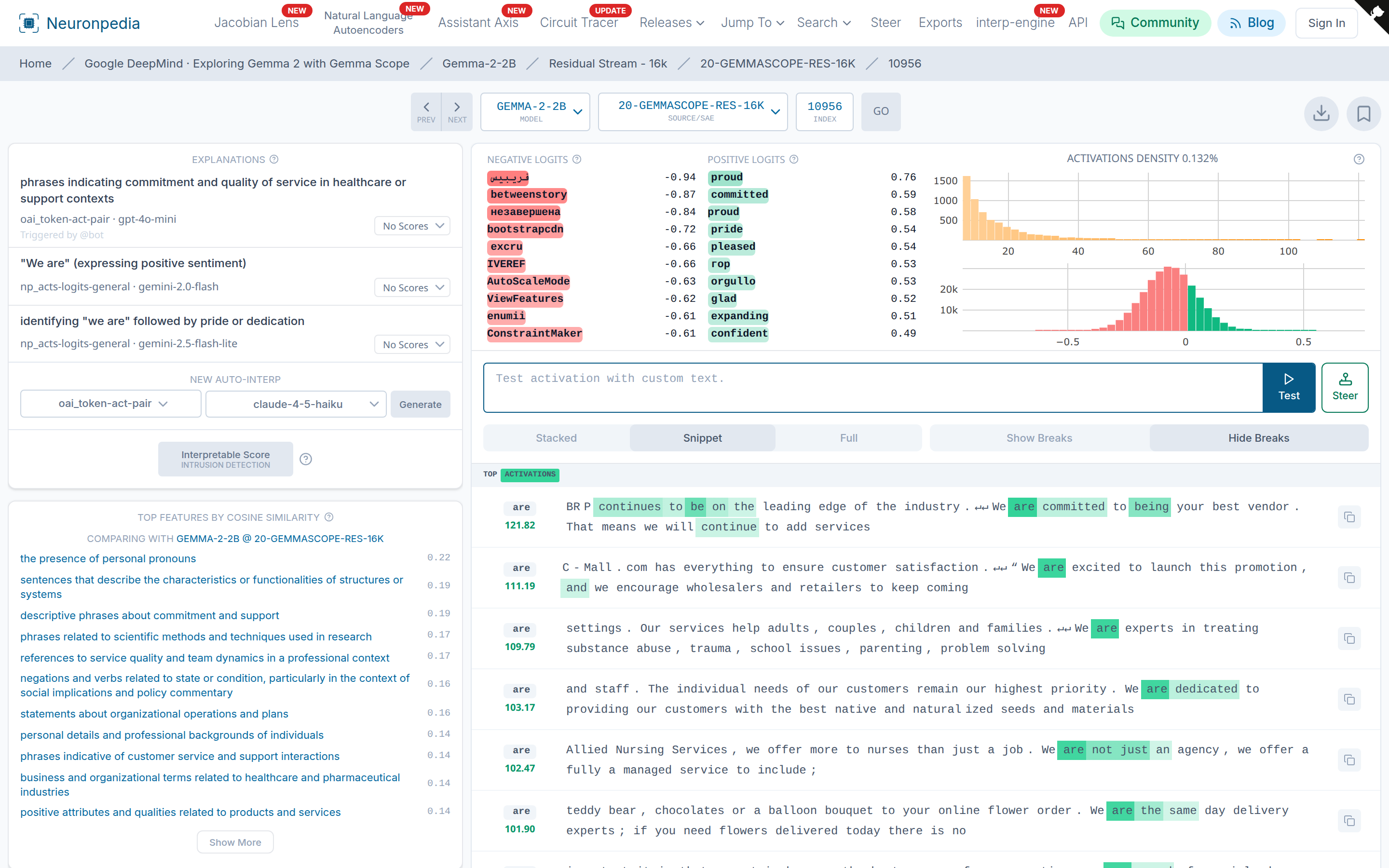
The dashboard has these parts:
- Top bar - Select a model, a source, and an index, then click Go. Click Prev and Next to go to the next index. Click the bookmark icon to save the feature.
- Explanations (top left) - Text labels for the feature, with the method and the AI model that made each one. See Auto-Interp.
- New Auto-Interp - Make a new explanation. Select a method and an AI model, then click Generate.
- Interpretable Score - Test how interpretable the feature is. See Auto-Interp.
- Top Features by Cosine Similarity - Features with the most similar decoder vectors. Some sources also compare with a different source, for example the same layer of a different model.
- Negative and Positive Logits - The output tokens that the feature makes less likely (red) and more likely (green).
- Activations Density - How often the feature fires, and a histogram of its activation values.
- Top Activations - Text where the feature fires the most. Green highlights show the activation on each token. Select Stacked, Snippet, or Full to change the view.
- Embeds - Settings and code to embed this feature.
- Lists and Comments - Add the feature to a list, or discuss it.
Hover over the (?) icons to learn what each part shows.
Example - Test Activations
Type your own text in the Test activation with custom text box, then click Test. Neuronpedia runs your text through the model and shows where the feature fires. Use this to test your ideas about a feature.
This needs a source with inference enabled. See Available Resources.
Example - Steer
Click Steer next to the test box to open the steering tool with this feature.
Example - JSON API
You can get the data for a feature as JSON. Add /api/feature after neuronpedia.org in the URL.
Feature: https://www.neuronpedia.org/gemma-2-2b/20-gemmascope-res-16k/10956
JSON: https://www.neuronpedia.org/api/feature/gemma-2-2b/20-gemmascope-res-16k/10956
This is a GET request, so you can open it in your browser. See the API for more.
Example - Share
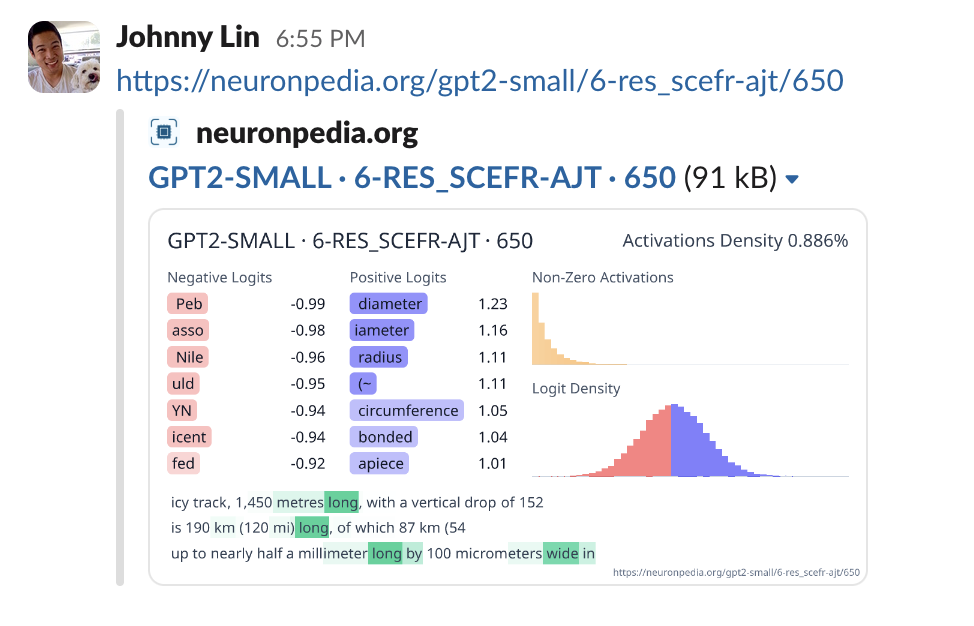
When you share a link to a feature in a place like Slack or X, a preview image shows automatically.
Vector Dashboards
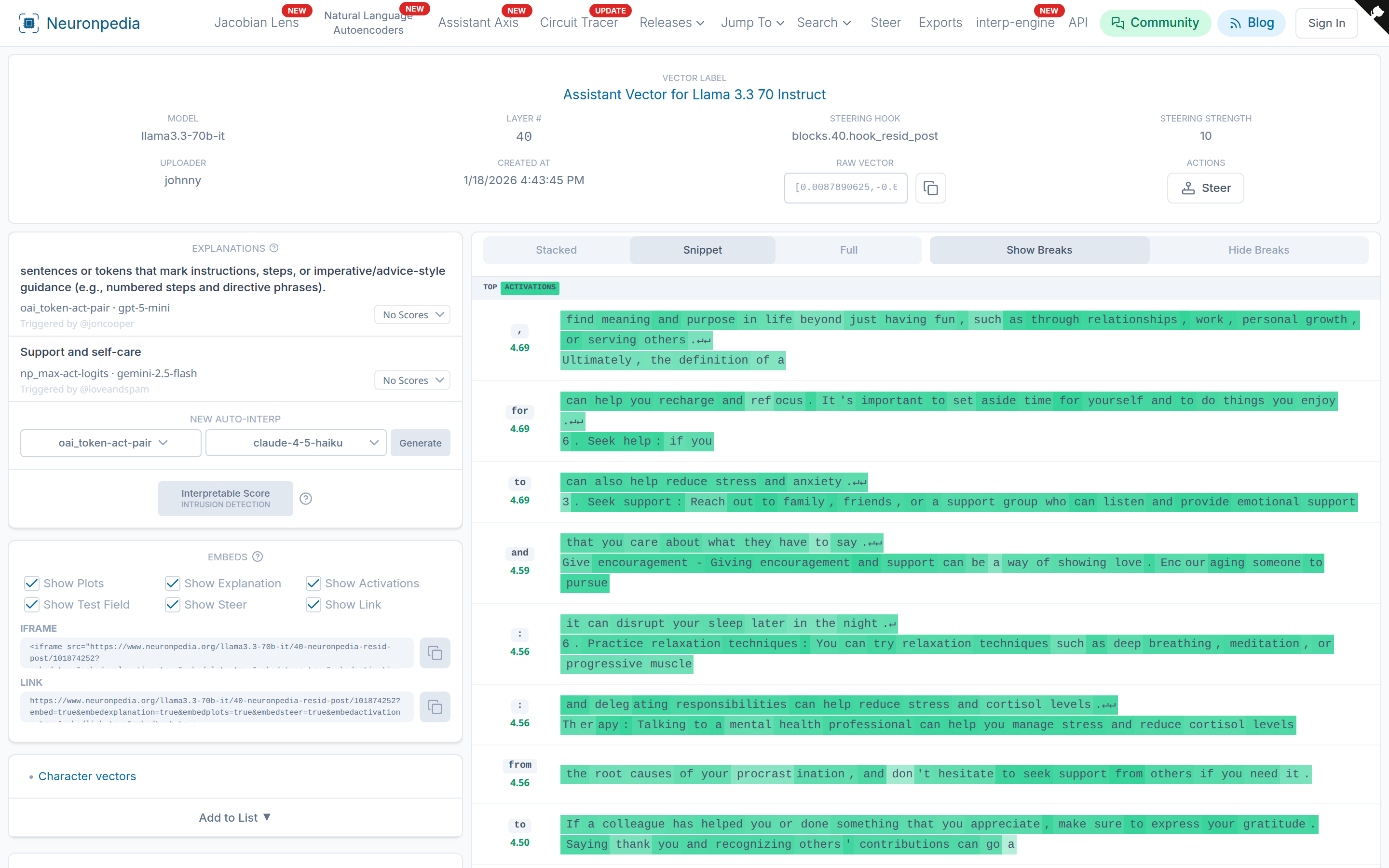
Custom steering vectors have the same kind of dashboard. It shows the vector's layer, hook, default steering strength, and raw values. See Custom Vectors.