Natural Language Autoencoders
Natural Language Autoencoders (NLAs) translate a model's activations into plain English, so that you can read what the model is "thinking" at a token. Neuronpedia hosts NLAs from Anthropic and from the community.
Start here: https://neuronpedia.org/nla
How NLAs Work
An NLA is a pair of models that are trained together:
- The Activation Verbalizer (AV) reads an activation and writes text that explains it.
- The Activation Reconstructor (AR) reads that text and changes it back into an activation.
If the AR can rebuild the original activation from the AV's text, then the text probably holds the information that was in the activation.
Learn more:
- Paper by Fraser-Taliente, Kantamneni, Ong et al.
- Anthropic post and intro video
- GitHub - Train your own NLAs.
⚠️ Warning: NLAs can confabulate. This means that they can give explanations that are not expected or not correct. Read the paper's limitations section before you use NLAs for research.
Available NLAs
| Model | Layer | Trained by |
|---|---|---|
| Llama 3.3 70B Instruct | 53 | Anthropic |
| Gemma 3 27B Instruct | 41 | Anthropic |
| Qwen 2.5 1.5B Instruct | 18 | Andy Xu |
Select a model with the tabs at the top of the page.
Use the NLA Chat
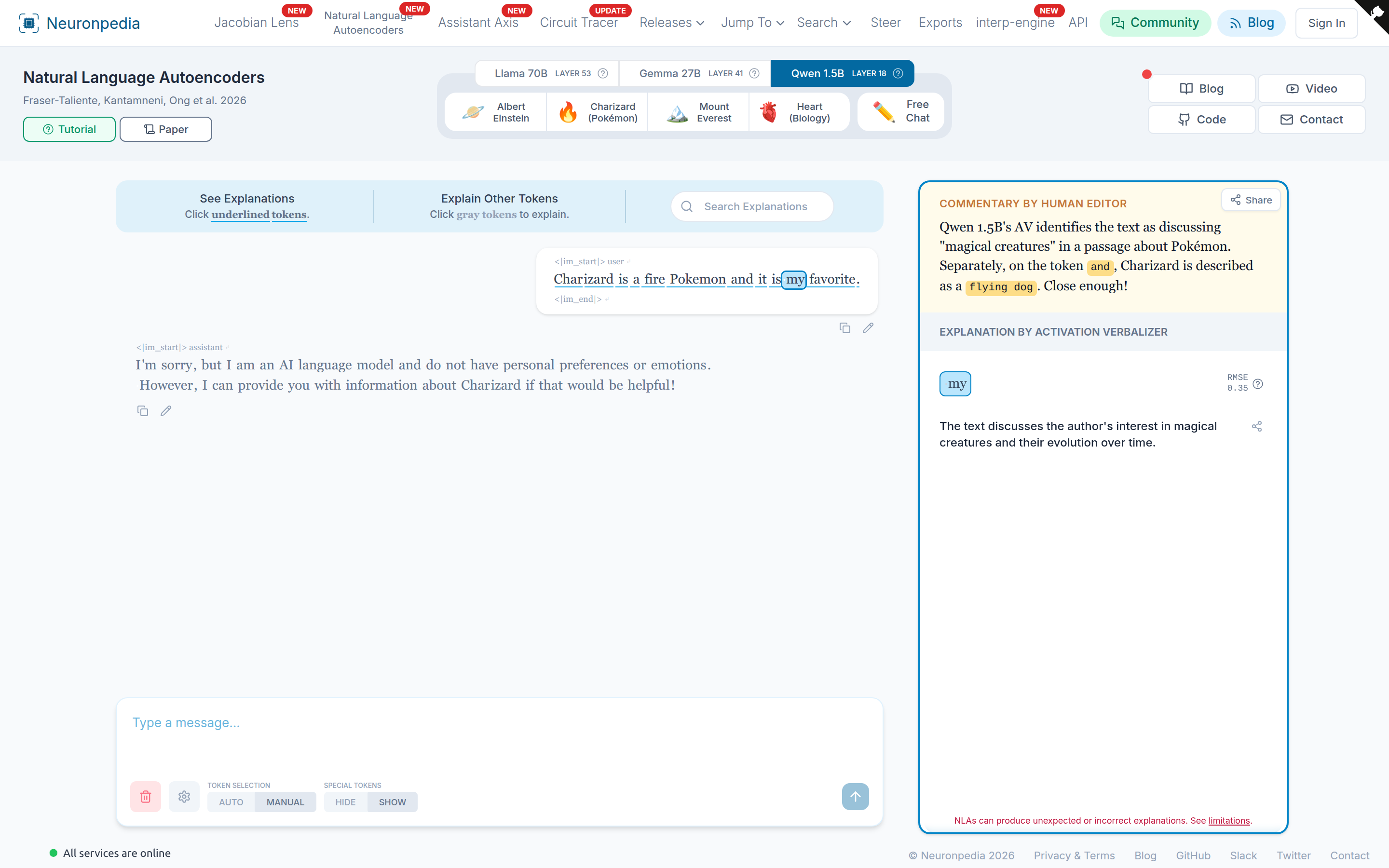
- Select a model, then select a demo (for example, Charizard or Mount Everest), or select Free Chat to write your own message.
- Send a message. The model replies.
- Click a token to explain it.
- Underlined tokens already have explanations. Click one to see it.
- Gray tokens do not have explanations yet. Click one to make an explanation.
- Read the explanation in the right panel.
Other controls:
- Token Selection: Auto / Manual - In Auto mode, Neuronpedia picks the tokens to explain. In Manual mode, you pick them.
- Special Tokens: Hide / Show - Show or hide chat template tokens, like
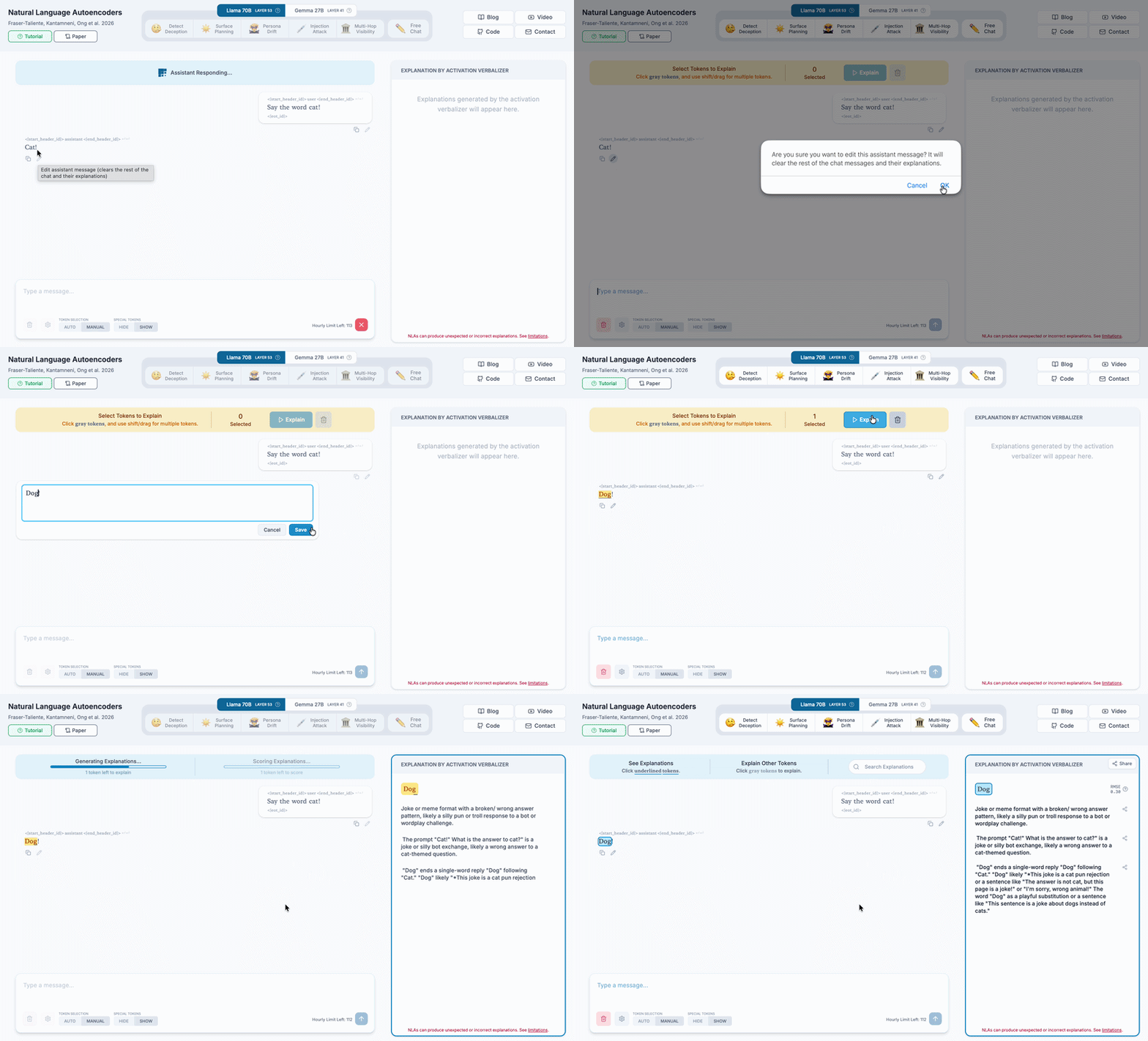
<|im_start|>. - Edit - Click the pencil under a message to edit it. You can edit both the user message and the assistant message. For example, change the assistant's answer from "cat" to "dog", then explain the "dog" token.
- Search Explanations - Search the text of all explanations in the chat.
- Share - Every chat has a URL that you can share.
RMSE Score
Each explanation has an RMSE (Relative Mean Squared Error) score. Neuronpedia passes the AV's explanation through the AR, and then compares the result with the model's original activation.
- A score near 0 is good.
- A score near 1 is bad.
Tokens with a high (bad) score have an orange underline. Use RMSE only as a rough guide.
NLAs and SAE Features
You can also give an SAE feature's vector to an NLA. The AV then writes an explanation for the feature, instead of for a token. This sometimes gives good labels, but we do not yet know why it works.
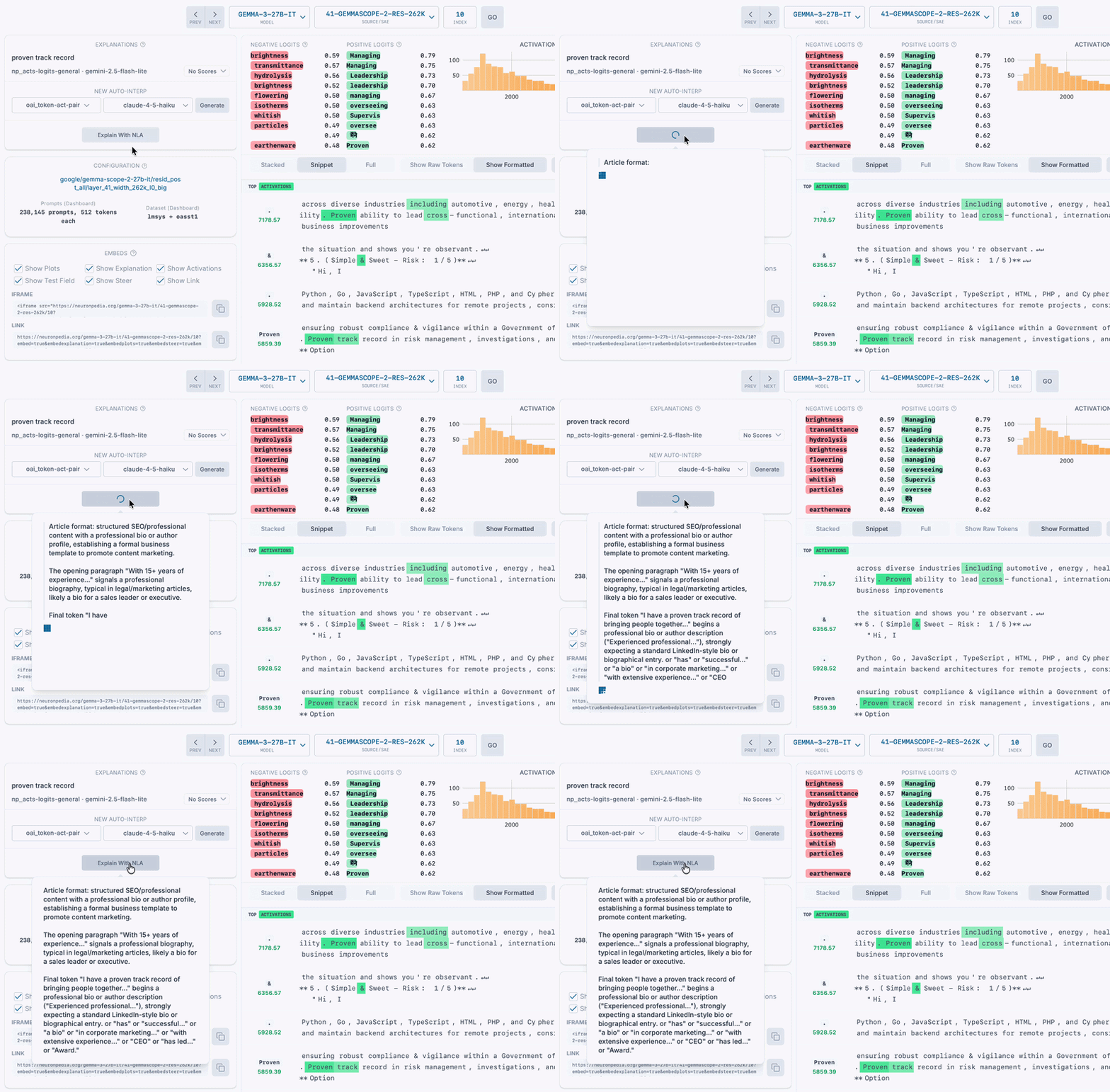
On a feature dashboard for a supported model and layer, click Explain With NLA. For example, try this Gemma 3 27B feature.
NLAs can also score other explanations. See Auto-Interp.
API
You can use the NLAs from code.
The default limit is 120 explanation requests per hour for each user. Each request can explain up to 16 tokens. If you need a higher limit for research, email us.
Contribute an NLA
Did you train an NLA? We accept NLAs for new models and layers. Email us to add yours to Neuronpedia.