Search
Neuronpedia has three ways to find features. Open them from Search in the top menu.
| Search | Use it to |
|---|---|
| Search Explanations | Find features by the text of their explanations. |
| Search via Inference | Run your text through the model, and find the features that fire the most. |
| Search TopK by Token | Run your text through one source, and see the top features for each token. |
Search Explanations
Type a concept, like golden gate bridge. Neuronpedia searches the explanations of all features, and shows the closest matches. Each result shows the feature's top activations and logits.
Use the tabs to search All features, or only the features in one Release, Model, or Sources.
Start here: neuronpedia.org/search-explanations
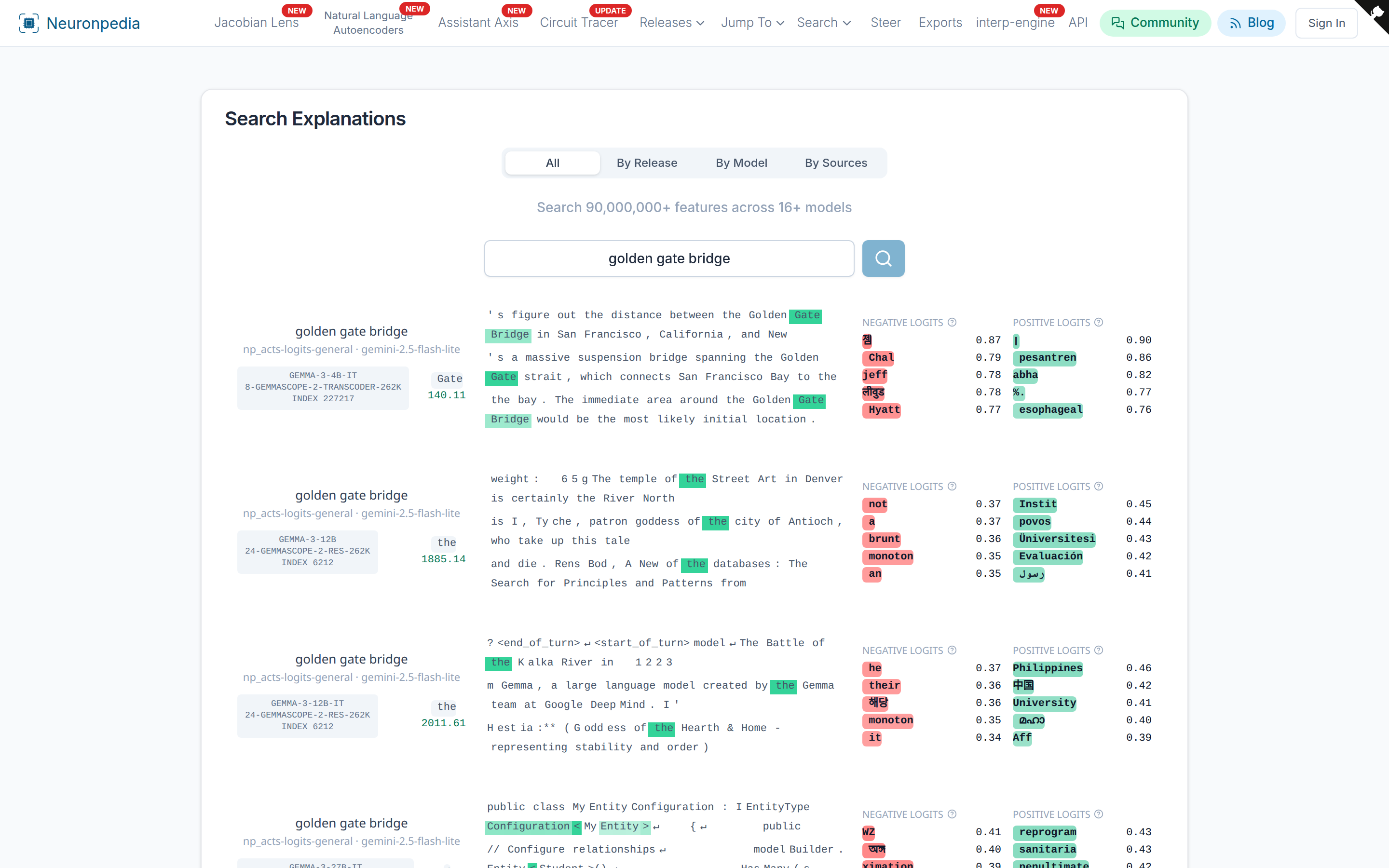
Explanations are made by AI models, and some are not correct. Always check the top activations.
Search via Inference
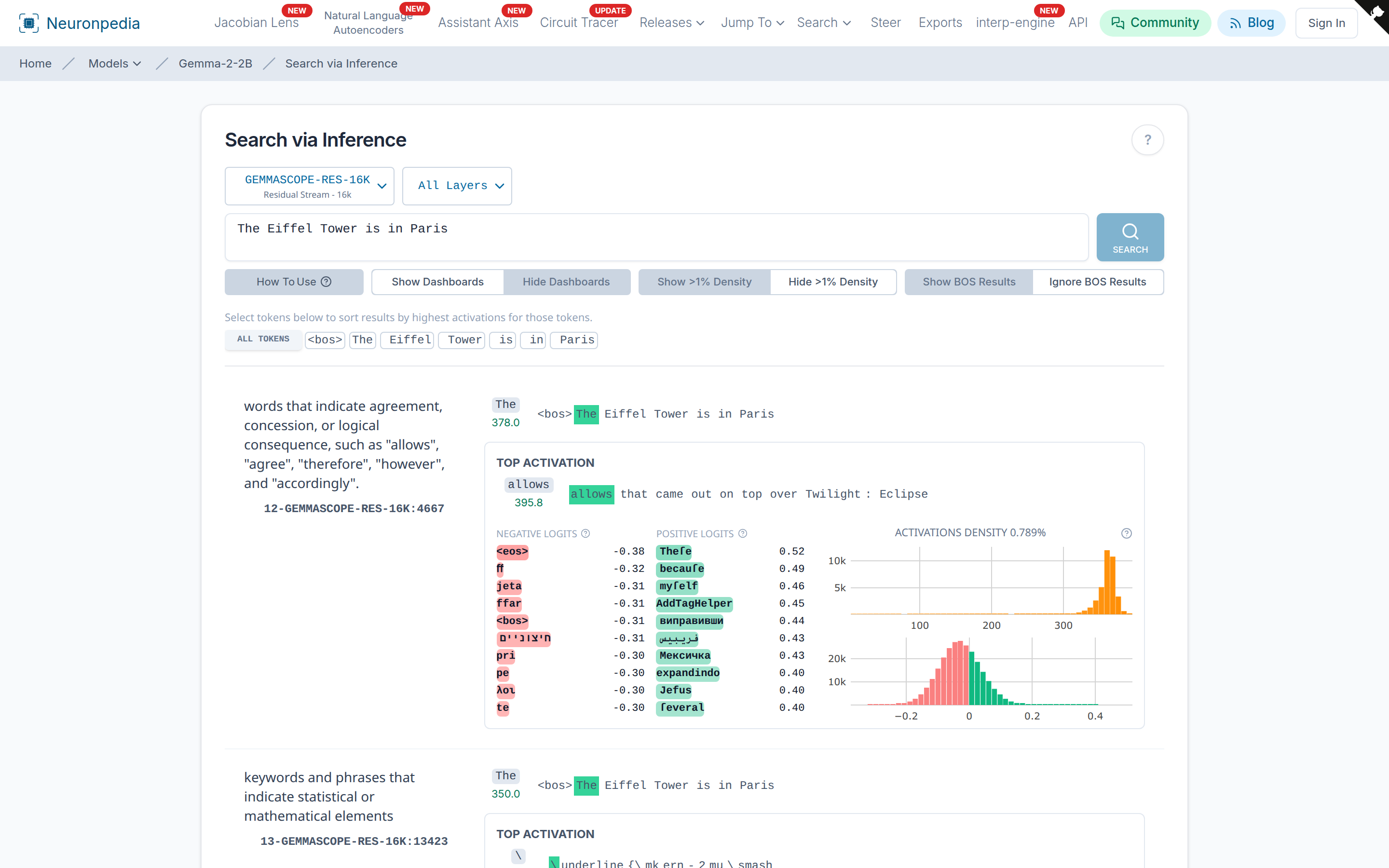
Search via Inference runs your text through the model and returns the features in a source set that fire the most on that text.
- Go to a model page or a source page, for example gemma-2-2b · 20-gemmascope-res-16k.
- Select a source set and the layers to search.
- Type your text, or click an example like Food or Programming.
- Click Search.
The default sort is by the features with the highest activations. To sort by specific tokens, click the tokens in the results table, then search again. To use specific layers, select them in the layers dropdown.
This needs a source set with inference enabled. See Available Resources.
Search TopK by Token
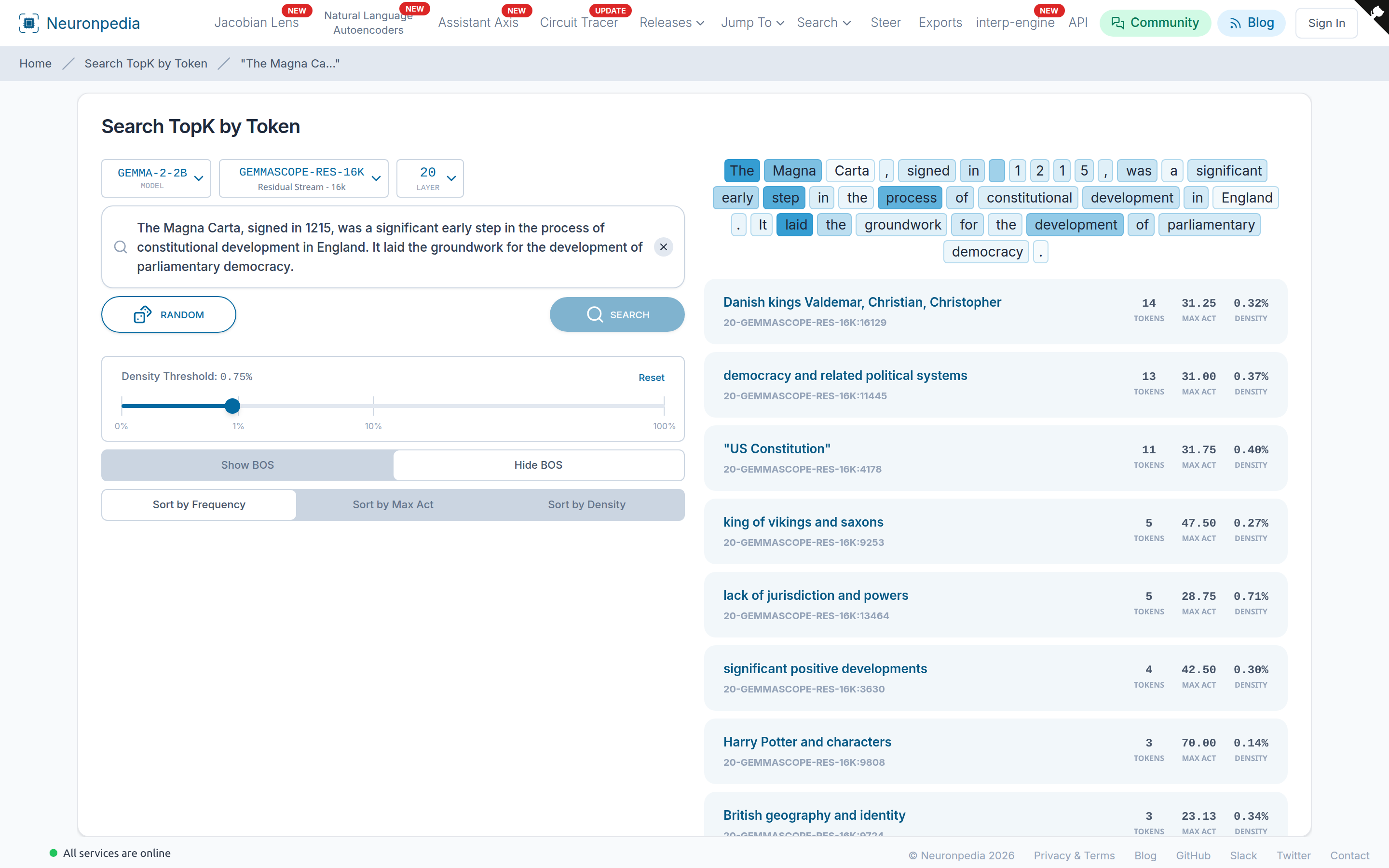
Search TopK by Token runs your text through one source and shows the top features for each token. Click a token to see only its features.
Start here: neuronpedia.org/search-topk-by-token
Settings:
- Density Threshold - Hide features that fire on more than this percent of tokens. Very dense features are usually not interesting.
- Show BOS / Hide BOS - Show or hide the "beginning of sequence" token. Many features fire strongly on it.
- Sort by Frequency / Max Act / Density - Sort by the number of tokens where the feature fires, by its highest activation, or by its density.
Case Study
How would you use search to find specific features? Read "Exploring OpenAI's Latent Directions: Tests, Observations, and Poking Around". It is from 2024 and uses the term "directions" instead of "features", but the method is the same.