Attention Heads (HeadVis)
HeadVis is a tool to explore attention heads. It is by Anthropic (Luger, Kamath, et al.). Neuronpedia has HeadVis dashboards for more than 36,000 attention heads in 37 models.
Start here: https://neuronpedia.org/headvis
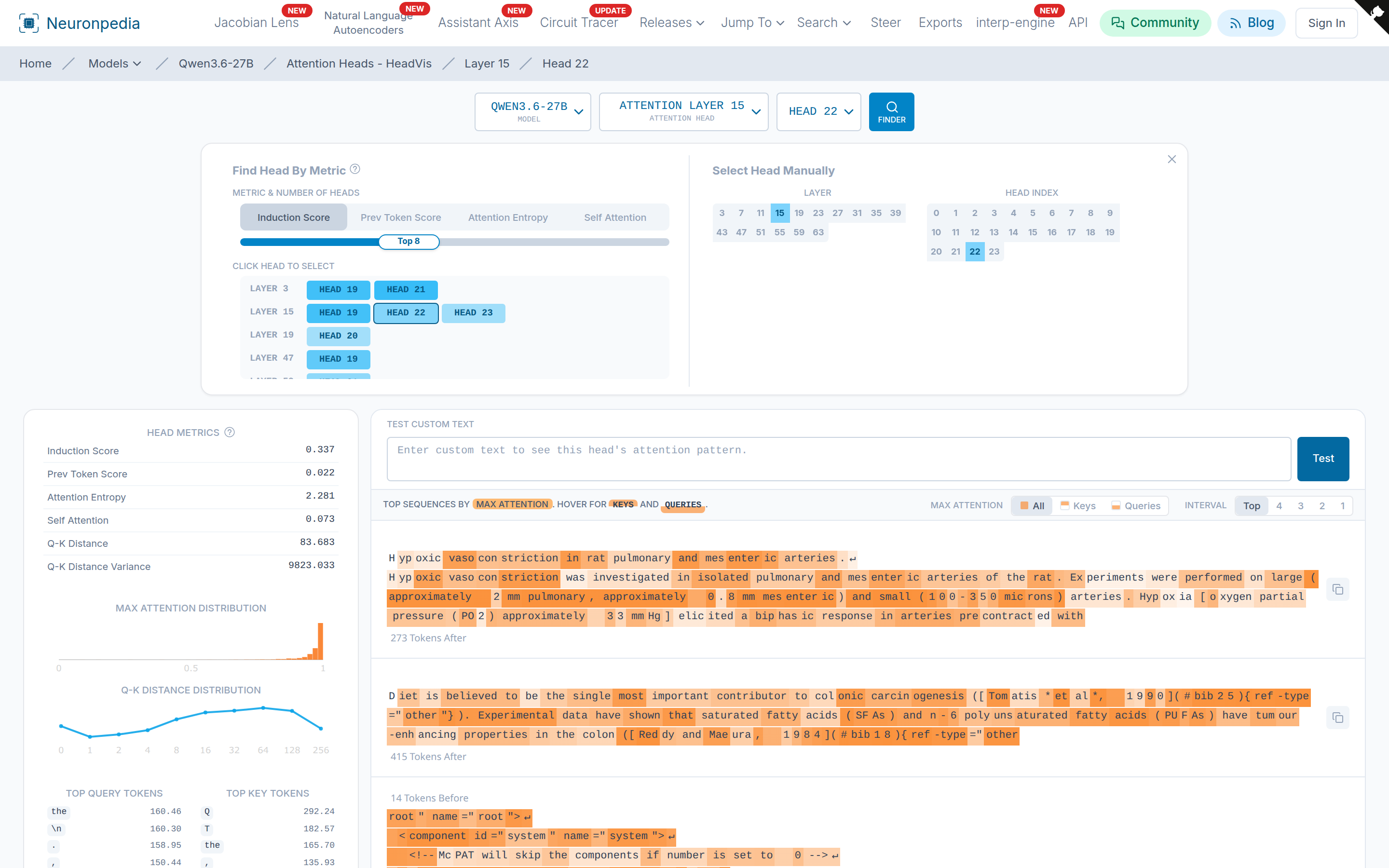
Find an Attention Head
There are four ways to get to an attention head:
- Model Page - Every model page has an Attention Visualizer panel. Example: neuronpedia.org/qwen3.5-0.8b.
- Dropdowns - On any dashboard or "Jump To" panel, select your model, then select the Attention Heads release.
- Direct Link - Attention heads have URLs in the format
neuronpedia.org/[MODEL_ID]/head/[LAYER]/[HEAD_INDEX]. Example: neuronpedia.org/qwen3.6-27b/head/15/22. - Head Finder - Click Finder on an attention head dashboard.
Head Finder
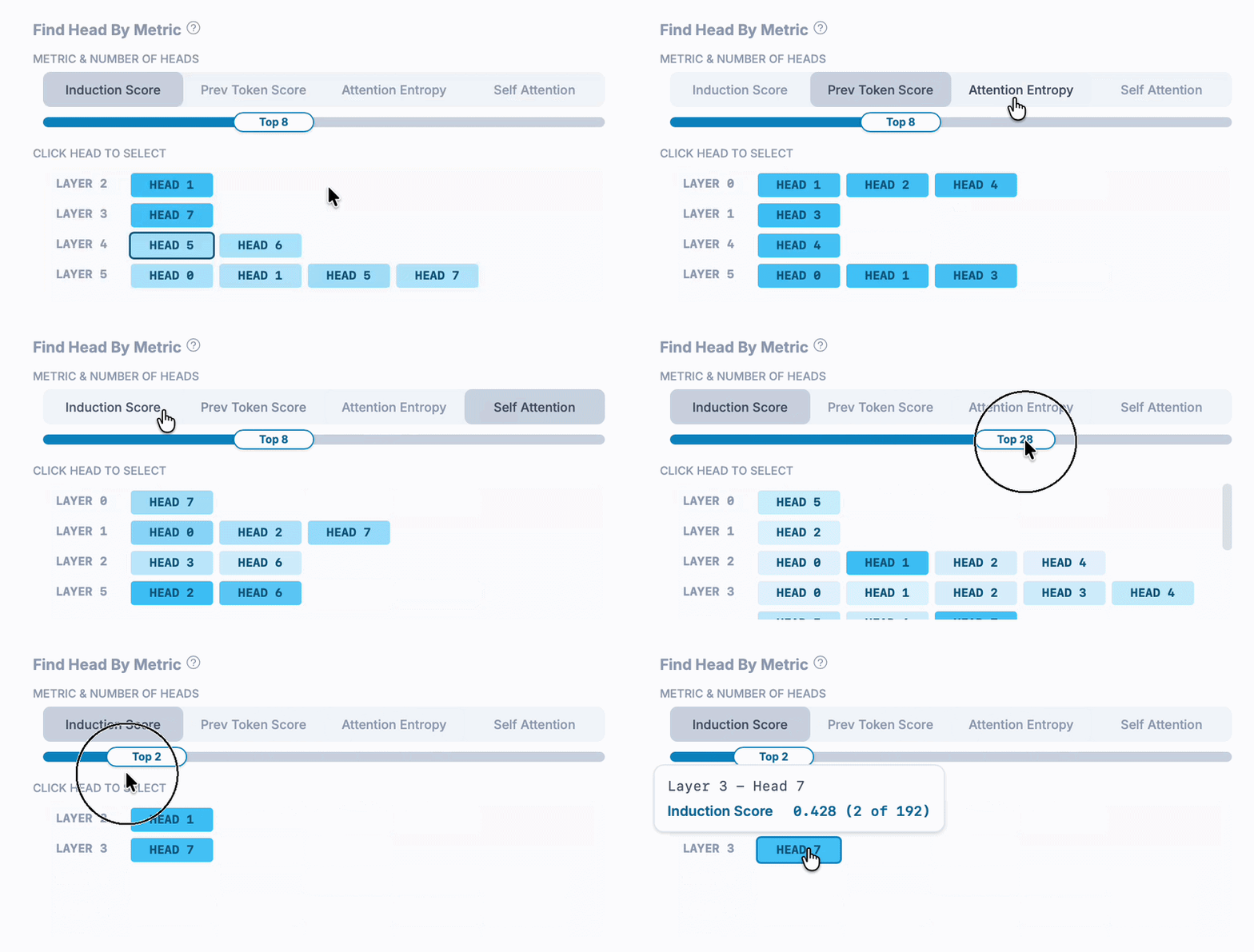
A model can have hundreds of attention heads. The Head Finder shows the top heads for a metric. Select a metric, then use the slider to show the top N heads. Click a head to open it.
The metrics are:
- Induction Score - How much the head attends to the token after an earlier copy of the current token. Induction heads repeat patterns like
[A][B] ... [A]➡️[B]. - Prev Token Score - How much the head attends to the token just before.
- Attention Entropy - How spread out the attention is.
- Self Attention - How much the head attends to the current token.
You can also select a layer and a head by hand, on the right side of the finder.
Read an Attention Head Dashboard
- Head Metrics (left) - The scores above, plus Q-K distance statistics.
- Max Attention Distribution and Q-K Distance Distribution - Plots of where the head attends.
- Top Query Tokens and Top Key Tokens - The tokens that the head attends from and to the most.
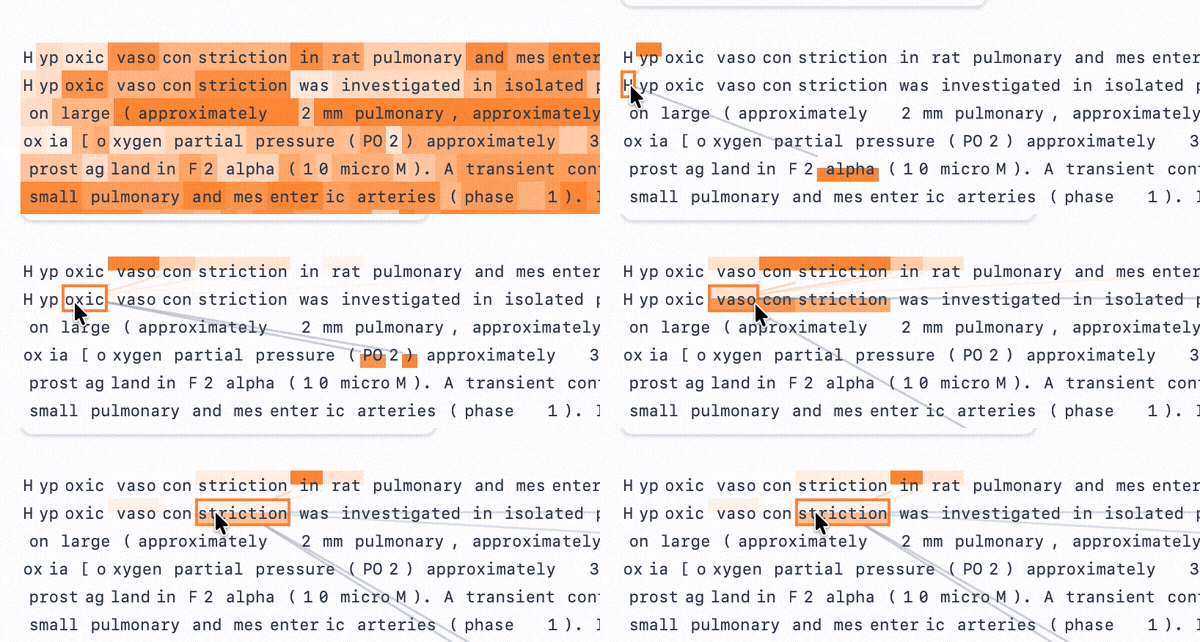
- Top Sequences (right) - Text where the head attends the most. Hover over a token:
- Orange lines show the earlier tokens that the hovered token attends to.
- Gray lines show the later tokens that attend to the hovered token.
Test Custom Text
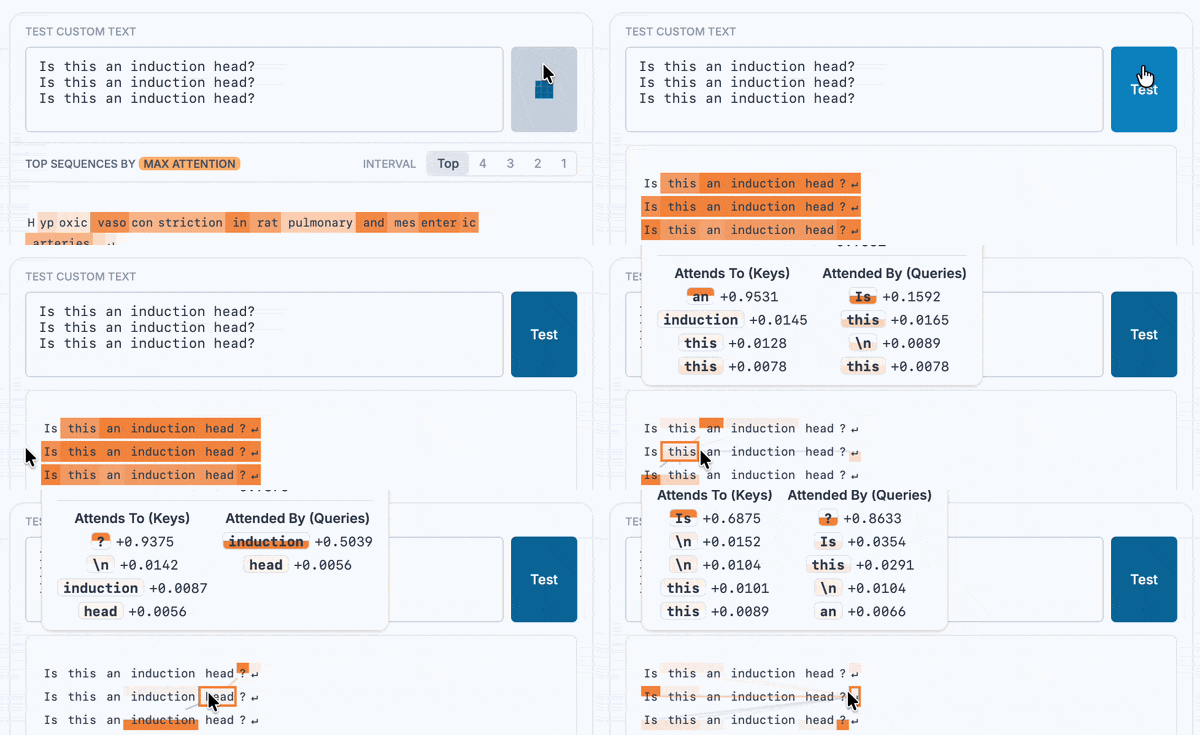
Type your own text in Test Custom Text, then click Test. For example, repeat a sentence a few times to test if a head is an induction head. Your results have a URL that you can share. Example.
Embed and Download
- Embed - Add
?embed=trueto an attention head URL to use it in an iframe. See Embeds. - Download - Attention head metrics and sequences are in the exports under
[MODEL_ID]/headvis/[DATASET]. They use the HeadVis format. Neuronpedia usedpile-uncopyrightedto make all HeadVis data.
Notes
Qwen 3.5 and 3.6 models have full attention only on every fourth layer. For these models, HeadVis shows only the full attention layers.