Lists & Embed Lists
Lists let you save features and link to them in one page. People often use them to show similar features, but you can use them for any purpose.
- A list can have features from any source, and from different models.
- A list has a title and an optional description.
- Each feature in a list can have its own description.
- Select List View or Detail View to change how the list shows.
Example
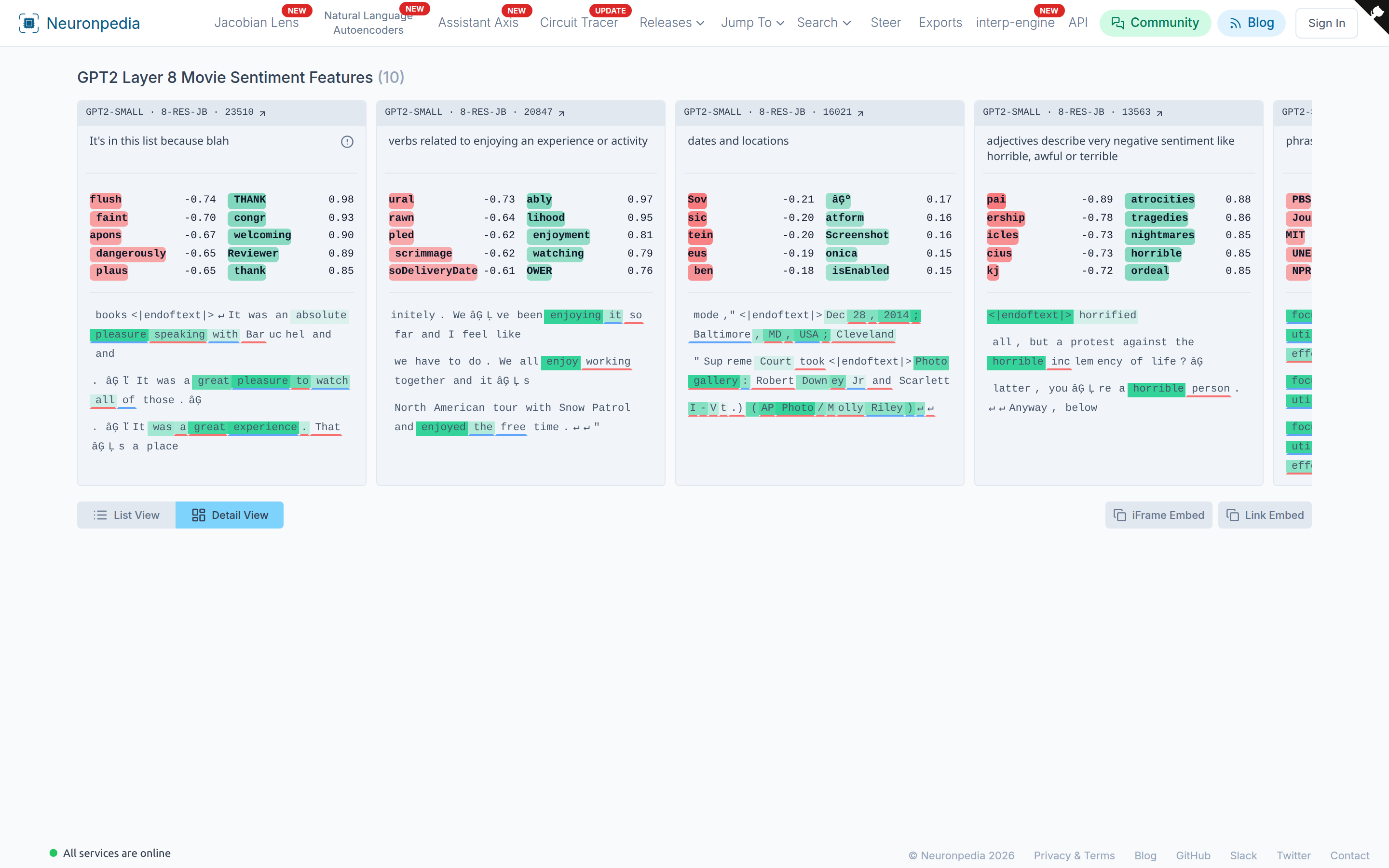
Here's a list of "movie sentiment" features from GPT-2 Small, layer 8:
Create and Add To Lists
You must be signed in to make a list.
To make a new list, go to any feature dashboard. Click Add to List, then + New List.
To add a feature to a list that you already have, click Add to List, then select the list.
Your lists are at neuronpedia.org/user/[USERNAME]/lists. You can also make lists with the Python library.
Quick Lists
A quick list is a link to a list of features, without making an actual list. All the feature IDs are in the URL. You do not need an account.
Here's a Python snippet to make a quick list:
import json
import urllib.parse
import webbrowser

LIST_NAME = "hello, this is a quick list! all the necessary data is in the URL"
LIST_FEATURES = [
    {"modelId": "gpt2-small", "layer": "6-res-jb", "index": "2320"},
    {"modelId": "gpt2-small", "layer": "3-res-jb", "index": "1029"},
]

url = "https://neuronpedia.org/quick-list/"
name = urllib.parse.quote(LIST_NAME)
url = url + "?name=" + name
url = url + "&features=" + urllib.parse.quote(json.dumps(LIST_FEATURES))

print("Opening: " + url)
webbrowser.open(url)
The resulting quick list is here.
Embed Lists (iframe)
To embed a list, add ?embed=true to the list link. You can also click IFrame Embed or Link Embed at the bottom of a list to copy the code.
For example, here's a list of Twitter-related features, embedded.
Embedded List URL: https://neuronpedia.org/list/clual45u70003m9z5163dyh98?embed=true
Embed Code: <iframe src="https://neuronpedia.org/list/clual45u70003m9z5163dyh98?embed=true" title="Neuronpedia" style="height: 650px; width: 700px;"></iframe>
And here's what the embed looks like: