Weight-Sparse Transformers
OpenAI trained weight-sparse transformers (Gao et al.). Most of their weights are zero, so their circuits are small and easier to understand. Neuronpedia has a visualizer and dashboards for the Python code model, circuitgpt-python.
Start here: neuronpedia.org/sparse-circuits
⚠️ Warning: This is a beta. It is not fully validated. Be careful before you use it for research.
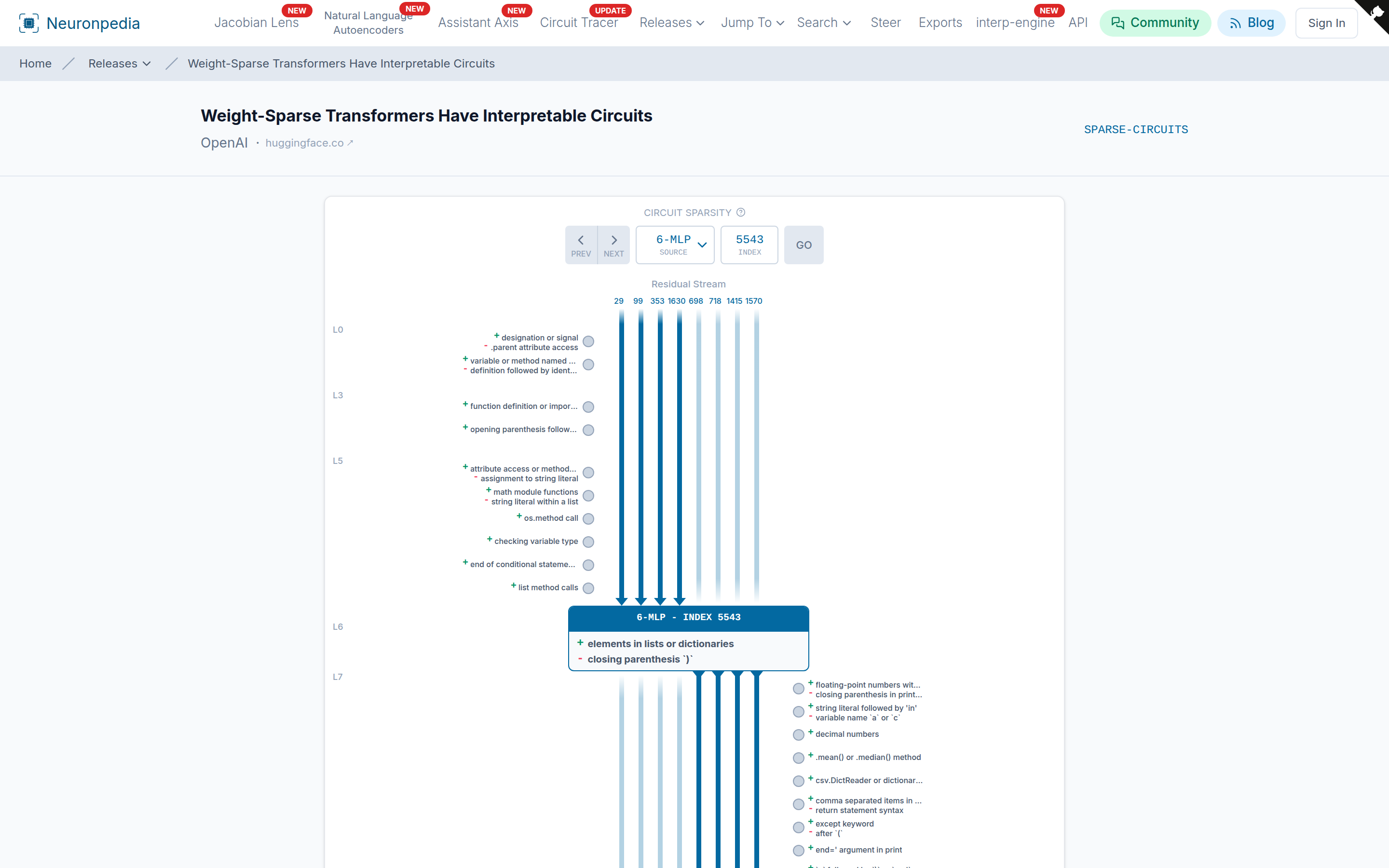
Visualizer
The visualizer shows one MLP neuron (in the middle) and its connections:
- Residual channels are the vertical lines. Lines above the neuron go into it. Lines below the neuron come out of it.
- Other MLP neurons on the left and right write to and read from these channels. Each shows its auto-interp labels.
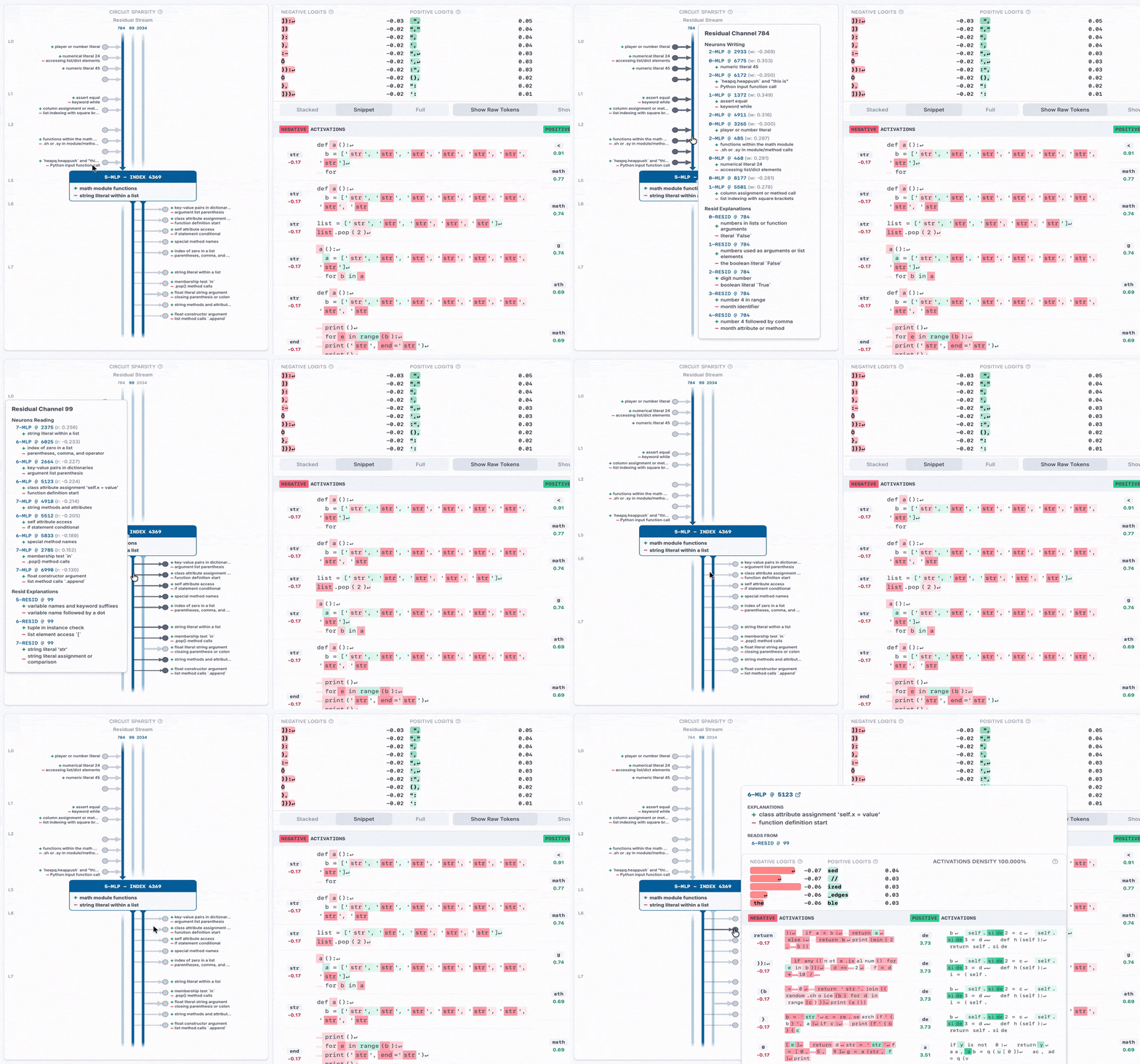
Select a source and an index at the top, then click Go. Hover over a neuron or a channel to see its details.
Positive and Negative Dashboards
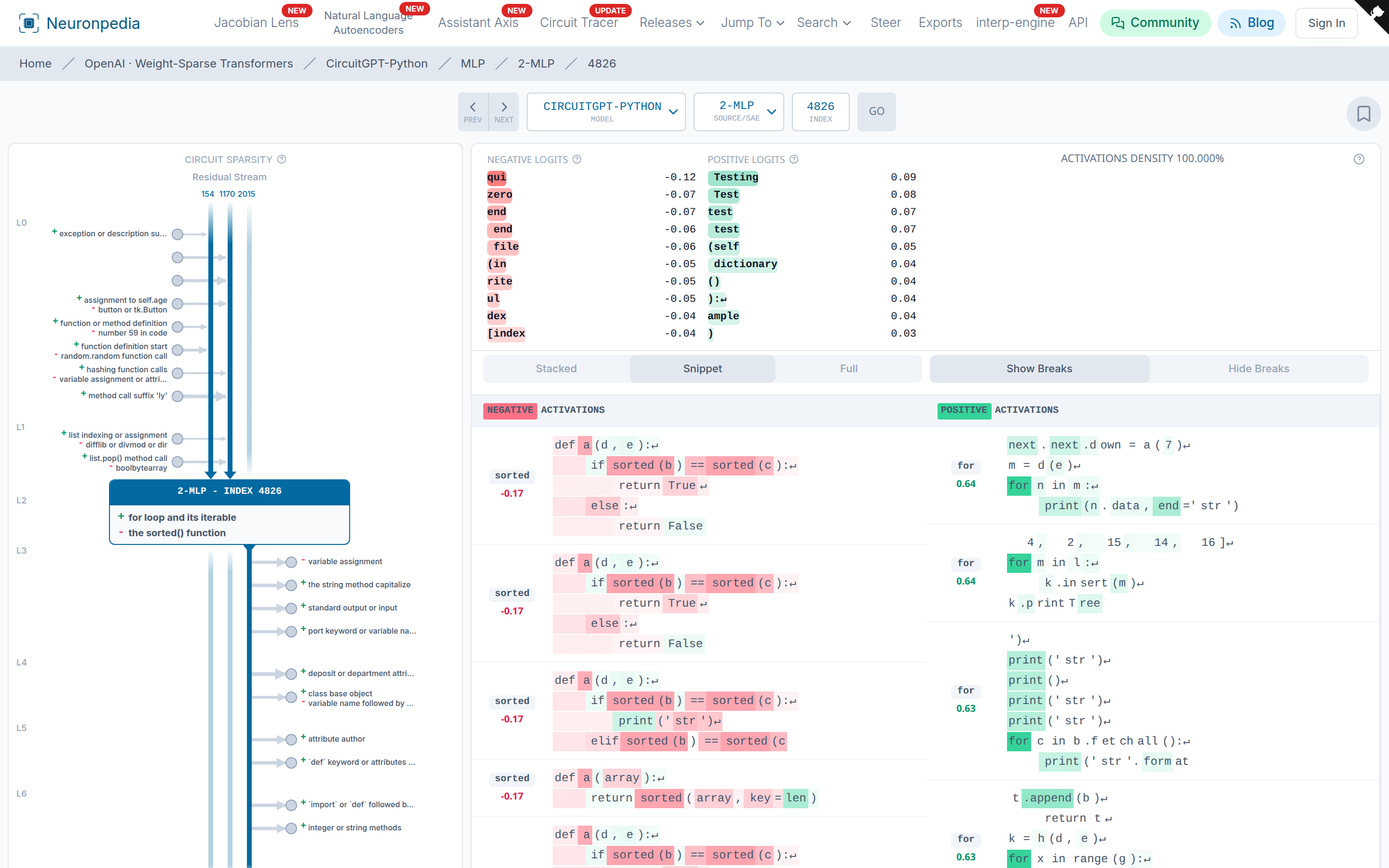
In this model, both positive and negative activations have meaning. So its dashboards show the top positive and top negative activations side by side, and each side has its own explanation. For example, in this MLP neuron, the negative activations are the Python function sorted, and the positive activations are the keyword for.
Python Auto-Interp and Dataset
The model was trained only on Python code, so normal auto-interp gives labels that are too general, like "snippets of code". We wrote a Python code explainer that gives specific labels, like "for loop and its iterable".
To make the dashboards, we used a simplified Python dataset. It removes comments, names, and strings that the model did not see in training.
Related
- Weightpedia by Arnau Marin-Llobet and Stefan Heimersheim - A reference for single weights in the same model.